
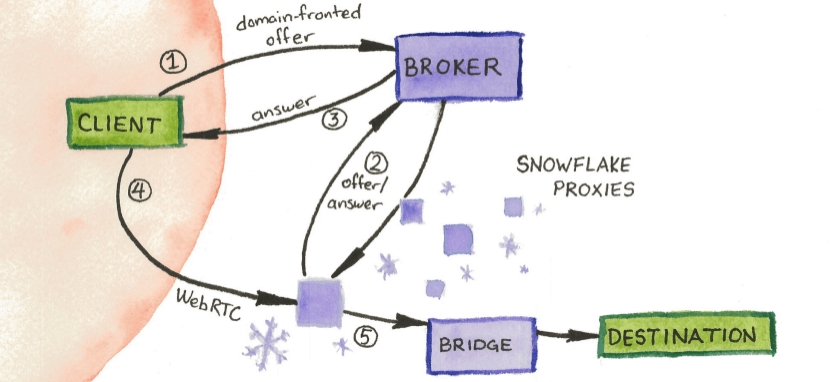
Snowflake is a tool designed to help people bypass Internet censorship. It works by connecting users in heavily censored regions to the open Internet through volunteers who run Snowflake on their devices—either as a browser extension or a standalone proxy. If you’re in a country where Tor is accessible, you can run Snowflake and act as a bridge for those who can’t access the Internet freely.
I’ve been trying to publish this post for two days. That’s how severe the current Internet blackout and censorship is here, given the current situation with war. Tools like Snowflake are often the only way people like me can connect to the outside world and access uncensored information, or contact their loved ones.
The easiest way to help is by installing the Snowflake browser extension. Once it’s enabled, you’ll see a green icon when someone connects through your relay. It’s simple, safe, and takes less than 3 minutes to set up—but it can make a world of difference.
By donating a small portion of your bandwidth, you help others communicate with loved ones, access crucial information, and stay connected—especially during crises like the one currently in the Middle East.
Start now: snowflake.torproject.org
Please spread the word. Every person counts.